Are you a creator dreaming of sharing your unique game with millions on Roblox? This comprehensive guide offers practical, step-by-step instructions on how to make a game available in Roblox, designed for busy adults balancing life and passion. Discover how to navigate Roblox Studio, understand publishing requirements, and optimize your game for success. We will cover everything from initial setup and crucial performance considerations to leveraging Robux for monetization and engaging your player base effectively. Learn about the latest 2026 trends in social gaming and cross-platform play, ensuring your creation reaches a wide audience across mobile, PC, and console. This resource provides clear, actionable advice to help you transform your vision into a playable, popular experience without unnecessary jargon or hype. Dive in to unlock the full potential of your Roblox game and connect with a vibrant community of players today. We break down complex processes into manageable steps.
How do I publish my game on Roblox?
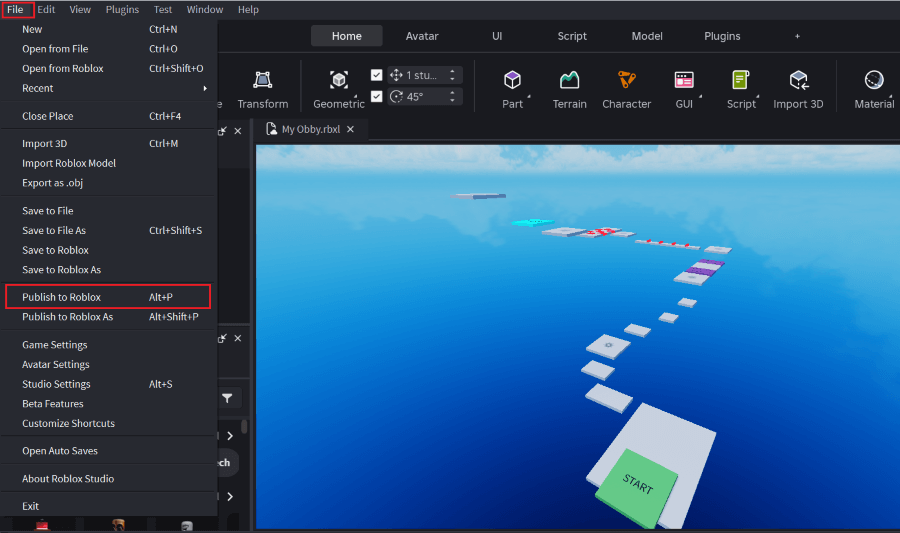
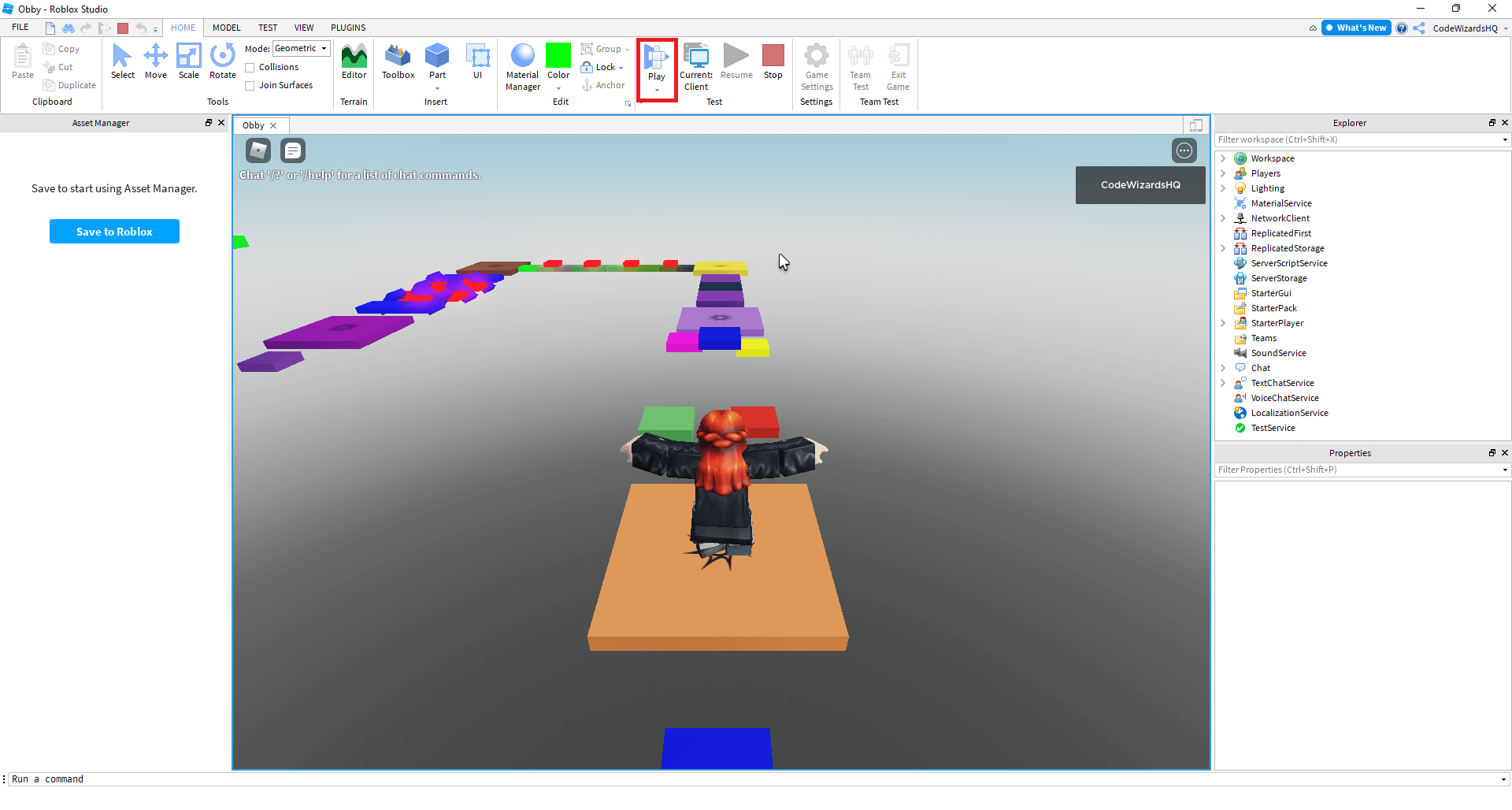
To publish your game on Roblox, you first need to save it to Roblox from Roblox Studio (File > Save to Roblox As). Then, go to Game Settings, navigate to the 'Permissions' tab, and change the access from 'Private' to 'Public.' After setting your title, description, and device compatibility, save your changes, and your game will be live for players.
What are the requirements to make a game public on Roblox?
There are no specific 'requirements' in terms of developer experience or a minimum game size. However, your game must adhere to Roblox's Community Standards and Terms of Use, ensuring no inappropriate content or intellectual property violations. Beyond that, the main requirement is that your game is saved to the Roblox platform and its privacy settings are set to 'Public'.
Can I earn money from my Roblox game?
Yes, you can absolutely earn money (Robux) from your Roblox game! The primary methods include selling Game Passes (one-time purchases for perks), Developer Products (consumable items like in-game currency), and earning through Premium Payouts, which reward you based on how much time Roblox Premium subscribers spend in your game.
How do I get players for my Roblox game?
Attracting players involves both in-platform and external promotion. Utilize Roblox's advertising tools like Sponsored Experiences and User Ads. Externally, share your game on social media (X, TikTok, Discord) with compelling visuals. Collaborate with Roblox influencers and actively engage with your community to foster organic growth and word-of-mouth promotion.
What is the Roblox Developer Hub?
The Roblox Developer Hub is an official, comprehensive resource for all things related to creating on Roblox. It offers detailed documentation, tutorials, API references, and best practices for scripting, building, designing, and monetizing games. It is an invaluable tool for developers of all skill levels, providing authoritative guidance directly from Roblox.
Why is game optimization important when publishing on Roblox?
Game optimization is crucial because Roblox players use a wide array of devices, from powerful PCs to mobile phones. A well-optimized game runs smoothly, reducing lag and crashes, which significantly improves the player experience and retention. Poor performance leads to frustration and players leaving, so ensuring your game is efficient maximizes its reach and enjoyment.
How often should I update my Roblox game?
There is no strict rule, but consistent and meaningful updates are generally best. Regular updates (e.g., monthly or bi-weekly for major features, or weekly for bug fixes) keep the game fresh, address player feedback, and show your community that you are actively maintaining it. This fosters engagement and encourages players to return, contributing to long-term success.
Ever poured hours into building an incredible virtual world or designing a thrilling mini-game, only to wonder how to get it into the hands of eager players? You are not alone. For many of us who balance demanding jobs, family commitments, and a passion for gaming, making that leap from creation to publication on a massive platform like Roblox can feel like another mountain to climb. But imagine the satisfaction of seeing your game populated with players from around the globe, providing joy and maybe even earning you some extra Robux. With 87% of US gamers regularly dedicating 10+ hours a week to their favorite titles, and mobile gaming continuing its dominance alongside social, cross-play experiences, now is the perfect time to share your vision on a platform that thrives on user-generated content.
This guide is crafted for you – the adult gamer and creator who values practical advice, efficiency, and real results. We know your time is precious. That is why we are cutting through the noise to deliver clear, actionable steps on how to make a game available in Roblox. We will tackle common pain points like understanding publishing requirements, ensuring your game runs smoothly across devices, and even how to gain visibility in a crowded marketplace. Let us turn your development dreams into a playable reality.
How Do I Prepare My Game for Publishing on Roblox Studio?
Before hitting that 'Publish' button, your game needs to be polished and functional. This involves a few critical steps within Roblox Studio. First, ensure your game works as intended. Test all scripts, gameplay mechanics, and user interfaces thoroughly. Recruit friends or family for playtesting; fresh eyes often spot issues you have overlooked. Performance optimization is paramount, especially for players on mobile devices or older hardware. Simplify complex builds, reduce unnecessary parts, and optimize scripts to minimize lag. Remember, a smooth experience keeps players engaged. Check for any broken assets or links, and make sure all content adheres to Roblox's Community Standards, avoiding copyright infringement or inappropriate material.
What are the Essential Steps to Make a Game Public on Roblox?
Making your game public on Roblox is a straightforward process once your game is ready. Here is a step-by-step guide:
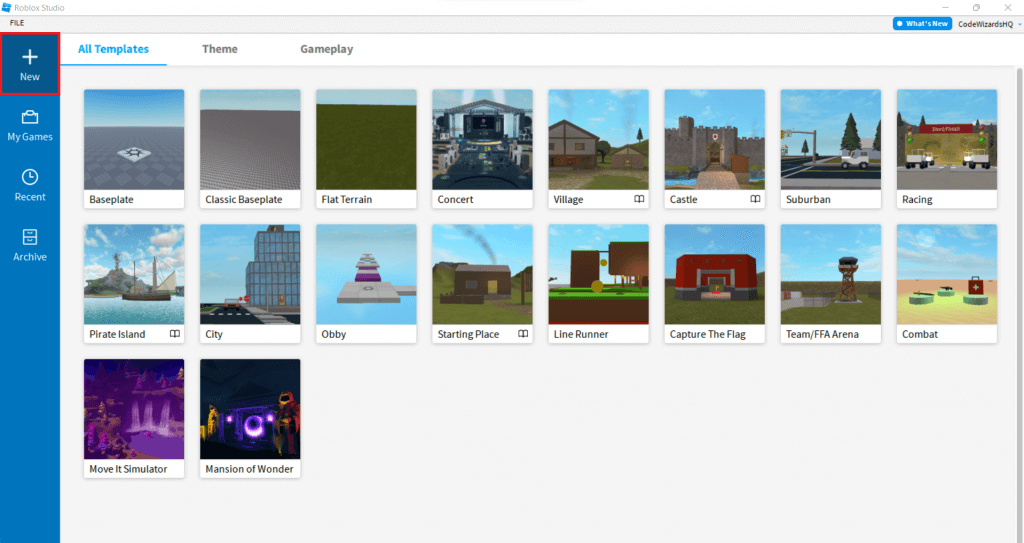
- Save Your Game to Roblox: In Roblox Studio, go to File > Save to Roblox As. Give your game a descriptive name and choose whether it will be a new game or an update to an existing one.
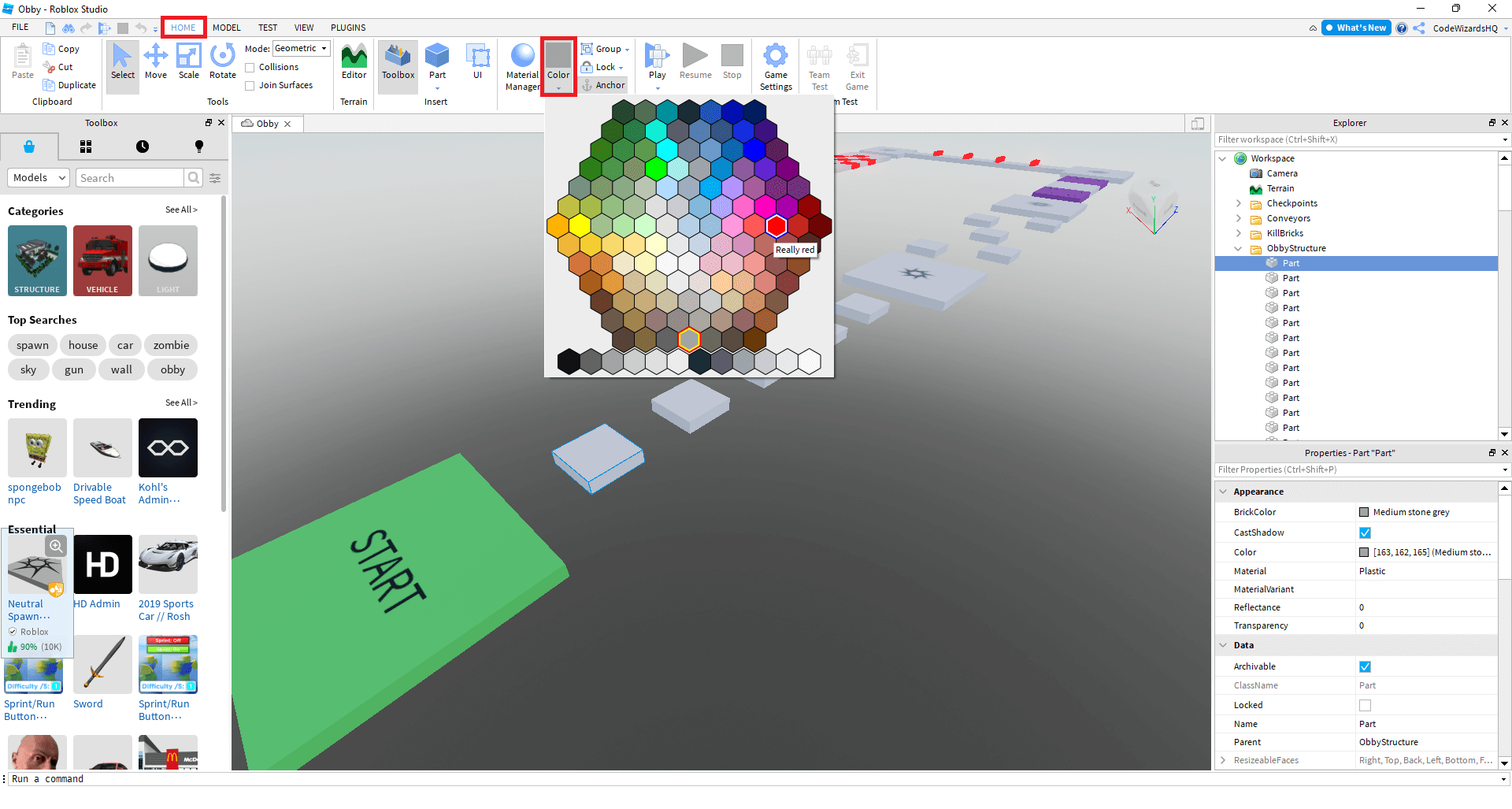
- Configure Game Settings: Access the Game Settings from the Home tab in Studio. This is where you will define crucial aspects of your game.
- Set Game to Public: Under 'Permissions,' change the access level from 'Private' to 'Public.' This is the key step to making it visible to everyone.
- Define Game Information: Provide a compelling title and a detailed description that highlights your game's unique features. A strong description helps attract players and explains what your game is about.
- Choose Genres and Devices: Select relevant genres (e.g., Adventure, Simulator) and ensure your game is enabled for all target devices (PC, Phone, Tablet, Console). Testing on various devices is crucial here.
- Monetization Options: Decide on any monetization strategies, such as Game Passes, Developer Products, or Premium Payouts, configuring them in the 'Monetization' section.
- Save and Publish: After configuring all settings, save your changes. Your game should now be publicly accessible on the Roblox platform!
How Can I Ensure My Roblox Game Performs Well Across Different Devices?
Optimizing your Roblox game for diverse devices, from high-end PCs to budget smartphones, is crucial for reaching a broad audience. Performance directly impacts player retention. Start by using Roblox Studio's built-in 'MicroProfiler' and 'Developer Console' to identify performance bottlenecks, such as high script activity or excessive part counts. Aim for efficient scripting, avoiding unnecessary loops or computations. Keep your game's visual complexity in check; large texture sizes, numerous detailed models, and excessive lighting effects can significantly degrade performance, especially on mobile. Utilizing Roblox's 'StreamingEnabled' feature can dynamically load/unload parts of your game based on player proximity, improving memory usage and reducing initial load times. Regularly test on lower-end devices to catch issues before they impact your live player base.
What are the Best Strategies for Promoting My New Roblox Game?
Once your game is live, getting players through the digital door is the next challenge. Promotion is key. Start by leveraging Roblox's native advertising tools like 'Sponsored Experiences' and 'User Ads.' These allow you to bid for visibility, targeting specific demographics. Beyond Roblox, utilize social media platforms where gamers congregate. Share engaging screenshots, short gameplay videos, and development updates on platforms like X, TikTok, and Discord. Create a dedicated Discord server for your game to build a community, gather feedback, and announce updates. Collaborate with Roblox influencers or content creators; a shout-out from a popular streamer can drive significant traffic. Participating in community events or showcasing your game on developer forums can also generate organic interest. Word-of-mouth is powerful, so encourage players to share their experiences.
Can I Earn Robux From My Roblox Game and How?
Absolutely! Earning Robux from your Roblox game is a major incentive for many developers. The primary methods include: Game Passes, which grant players special abilities, items, or access within your game; Developer Products (also known as 'Dev Products'), for consumable, one-time use items like in-game currency or power-ups; and Premium Payouts, where you earn Robux based on the engagement time of Roblox Premium subscribers in your experience. The more Premium users play your game, the more Robux you earn. Additionally, you can sell user-generated content (UGC) within your game, like custom accessories, if you are part of the UGC program. Remember, successful monetization often comes from creating value for your players and offering desirable content, not just from asking for money.
How Do I Update My Roblox Game After Initial Publishing?
Updating your Roblox game is a continuous process that keeps players engaged and addresses feedback. The good news is, it is incredibly simple. When you make changes in Roblox Studio, simply go to File > Save to Roblox. If you have previously saved your game to Roblox, this action will automatically overwrite the existing version on the platform. Players will see the updated version the next time they join. It is good practice to inform your community about significant updates through in-game announcements, your game's description, or your dedicated social channels. Frequent, meaningful updates demonstrating responsiveness to player feedback can significantly boost player retention and goodwill. Always test updates in a private server or with a small group before pushing them live to avoid introducing new bugs.
What are the Latest Trends Impacting Roblox Game Development in 2026?
The Roblox landscape is constantly evolving. In 2026, several key trends are shaping game development. Social and 'Cozy' Games continue to surge in popularity, emphasizing community interaction, low-stress gameplay, and collaborative experiences, perfect for busy adults looking to unwind. Cross-platform compatibility is no longer optional; players expect seamless experiences across PC, mobile, and console, driving developers to optimize for all devices. The rise of AI-powered tools within development is streamlining asset creation and scripting, making game development more accessible. Immersive Storytelling and Lore are gaining traction, moving beyond simple mechanics to provide deeper narrative experiences. Finally, Creator Influence remains strong, with popular streamers and UGC creators driving significant traffic and setting trends. Designing games with these elements in mind can give your creation a significant edge.
Balancing Your Gaming Passion with Real-Life Responsibilities: Developer Edition
Many Roblox developers are like you: passionate gamers and creators who also manage full-time jobs, families, and other responsibilities. It is a common pain point to feel like there is not enough time to dedicate to your game. The key is efficient time management and setting realistic expectations. Break down your development tasks into small, manageable chunks you can tackle in short bursts, perhaps during a lunch break or after the kids are asleep. Focus on iterative development: release a core, playable experience first, then add features and polish over time. Do not aim for perfection from day one. Lean on the Roblox community for support and feedback, and consider collaborating with other developers to share the workload. Remember, your game is a passion project; enjoy the process without letting it become another source of stress. Consistent, small efforts often lead to greater long-term success than sporadic, intense pushes.
FAQ Section: Quick Answers for Roblox Creators
How long does it take for a game to become public on Roblox?
Once you set your game to 'Public' in the Game Settings and save, it becomes immediately accessible. There is no waiting period for Roblox to approve its initial visibility, although content moderation occurs proactively and reactively.
Can I unpublish my Roblox game?
Yes, you can easily set your game back to 'Private' at any time through the Game Settings in Roblox Studio. This will make it inaccessible to the public until you decide to make it public again.
Do I need to pay to publish a game on Roblox?
No, publishing a game on Roblox is completely free. Roblox Studio, the development environment, is also free to download and use. Monetization features, however, may involve Robux transactions.
What are Roblox Community Standards?
Roblox Community Standards are a set of rules and guidelines that all content and behavior on the platform must adhere to. They cover topics like safety, civility, and intellectual property, ensuring a positive environment for all users.
How important is user feedback for my Roblox game?
User feedback is incredibly important. It provides direct insights into what players enjoy, what needs improvement, and what bugs exist. Actively listening to and implementing feedback can drastically improve your game's quality and player retention, fostering a loyal community.
What is 'Premium Payouts' on Roblox?
Premium Payouts are a system where Roblox pays developers Robux based on how much time Roblox Premium subscribers spend in their games. The more engaged Premium users are in your experience, the more Robux you earn, rewarding quality content that keeps players coming back.
Bringing your game to life on Roblox is a rewarding journey, accessible even for the busiest of creators. By understanding the core publishing steps, optimizing for performance, and strategically promoting your work, you can successfully share your unique vision with a global audience. The platform offers incredible tools and a massive player base, making it an ideal place to flex your creative muscles and connect with others. What is your biggest gaming challenge or creative hurdle right now? Comment below and let us help each other grow!
Publishing your game on Roblox involves developing in Roblox Studio, adhering to platform guidelines, configuring game settings for public access, and promoting it effectively to attract players. Monetization through Robux and understanding performance optimization are key for success. Staying updated on Roblox's terms and community trends is also vital for long-term engagement.
35
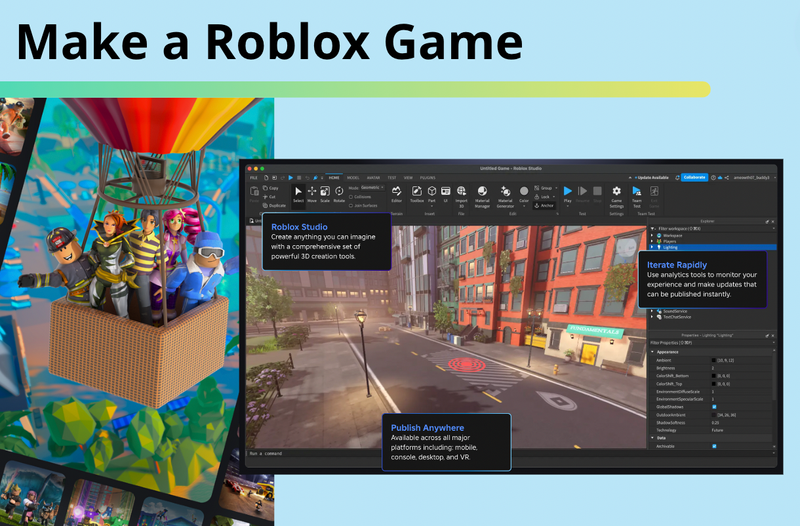

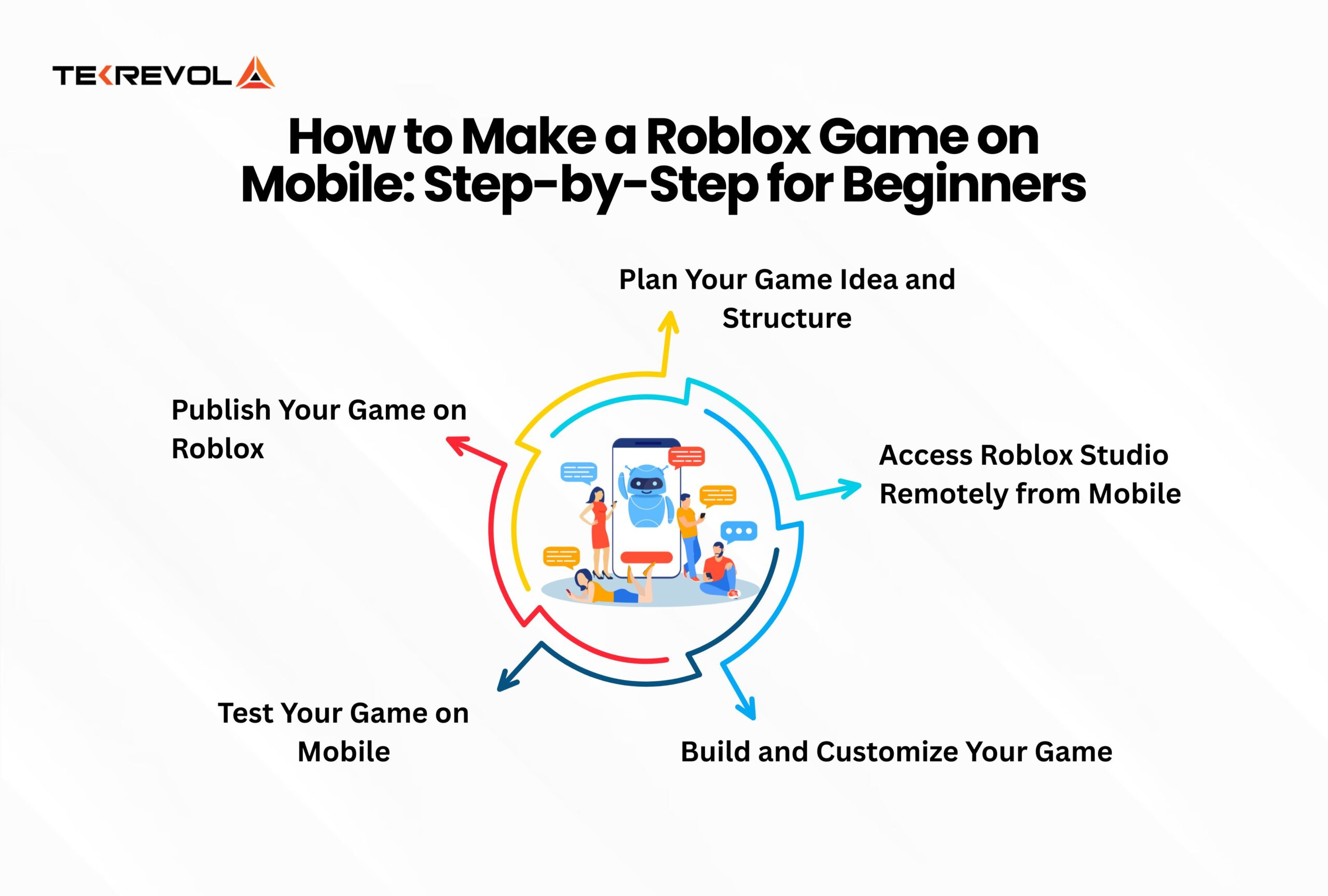

How To Make A Roblox Game In 2026 Beginner Guide How To Make A Roblox Game In 2026 Beginner Guide 1024x683 . How To Share Publish Your Roblox Game In 3 Steps Screen Shot 2024 08 20 At 9.59.44 AM . How To Make A Game Pass In Roblox 2026 Step By Step Guide Game Pass Roblox.webp. Roblox Game Development On Mobile Everything You Need To Know How To Make A Roblox Game On Mobile Step By Step For Beginners Scaled . How To Make A Roblox Game In 15 Minutes Create Roblox Games Games


How To Make A Roblox Game Complete Beginners Guide YouTube . Ready To Share How To Publish Your Roblox Game . Ready To Share How To Publish Your Roblox Game Publish Roblox Game Step 1 Update 1 . How To Make Your OWN OFFICIAL GAME On Roblox Studio YouTube . How To Make A Game In Roblox Easy At Roger Monday Blog How To Make A Roblox Game In 2023


How To Make A Game On Roblox In 2026 The Complete Beginner S Guide Image. How To Publish A Roblox Game 2026 Complete Roblox Studio Tutorial . How To Make A Roblox Game Start Your Creation Now Step 5 . Roblox A Guide On How To Create A Game On Roblox.webp. How To Make A Roblox Game With AI Complete 2026 Guide Image


How To Make A Roblox Game In 2024 Easy Guide Beebom Publish To Roblox . Roblox Tutorial How To Make A Game Screen Shot 2022 04 21 At 10.22.45 AM . How To Make A Roblox Game In 15 Minutes Create Roblox Games Step 10 . Roblox R6 Explained What Does It Really Mean . How To Make A Game In Roblox In 2026 Complete Beginner S Guide Adellion Image



How To Message On Roblox 2026 A Quick Guide SL1500 . How To Make A Roblox Game In 15 Minutes 2020 Tutorial YouTube . How To Make A Roblox Game On Mobile 2026 New Update YouTube . Ready To Share How To Publish Your Roblox Game . Roblox Game Success Your Guide To Popularity Step 4 1536x822


How To Make A Roblox Game Your Totally Doable Guide . How To Make A Roblox Game 2022 YouTube . Create Own Game Step 2 1024x543 . Roblox Programming Everything You Need To Know Screen Shot 2024 10 17 At 5.41.09 PM . Ready To Share How To Publish Your Roblox Game



How To Make Roblox Games How To Make Your Own Roblox Game How To Create A Roblox Game Main . Unlock Classic Roblox R6 Avatar Guide . GameJobId Roblox Explained What Is It The 8 Most Popular Roblox Games In 2025 . Roblox Make Your Own Game How To Make A Roblox Game Featured Image . How To Create A Roblox Account In 2026 What You Need Roblox Studio Home