In 2026, managing your digital gaming life effectively is more crucial than ever for the average gamer balancing work, family, and play. This comprehensive guide serves as your essential resource to mastering the art of being a Steam account creator. We dive deep into navigating the Steam platform, setting up accounts for various purposes from personal libraries to family sharing, and optimizing your experience. Discover practical tips for security, privacy, and performance that align with the demands of today's busy US gamers. Learn how to leverage Steam's features to maximize your relaxation, skill-building, and social play without the usual setup hassles or performance hiccups. This informational resource ensures you stay current with gaming trends and make smart choices for your entertainment budget, all while maintaining a healthy life balance. From initial registration to advanced account management, we cover everything you need to become a proficient Steam account creator, making your gaming journey smoother and more enjoyable. Prepare to unlock Steam's full potential.
How do I create a new Steam account quickly and securely?
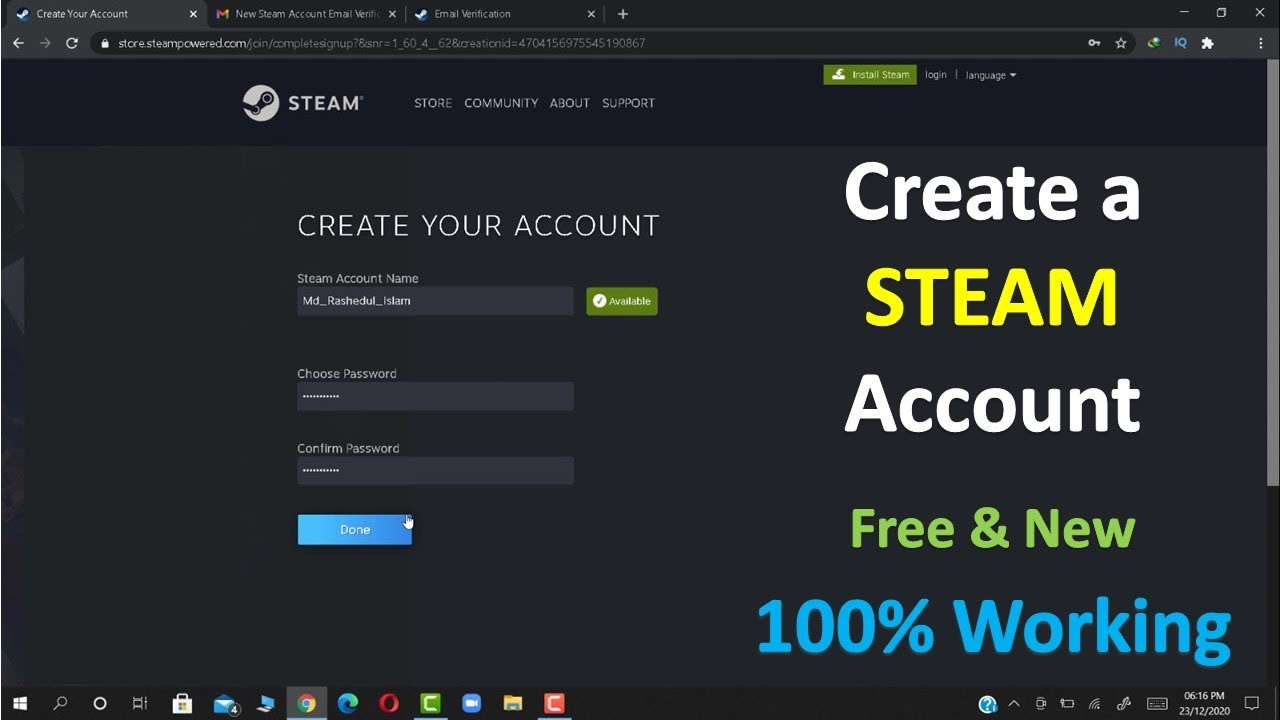
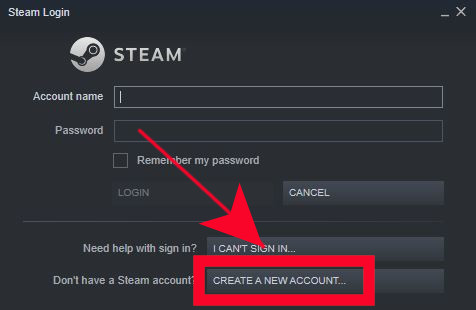
Creating a Steam account is a simple, quick process crucial for accessing the vast Steam library. First, download the Steam client, then select 'Create a New Account'. You'll need to enter a unique account name, a strong, multi-character password, and a valid email for verification. Always enable Steam Guard with the mobile authenticator for robust security right from the start. This initial setup takes only a few minutes, setting you up for a protected gaming journey.
Can I have multiple Steam accounts on one computer, and why would I?
Yes, you can absolutely have multiple Steam accounts on one computer. Gamers often do this for several reasons: perhaps a separate account for family members to use Steam Family Sharing, an account for testing new games or public streaming without affecting your main library, or simply to segment game genres like competitive esports versus relaxing single-player titles. It helps manage game libraries and privacy effectively, especially for busy adults balancing different gaming needs.
What are the essential security steps for a new Steam account creator?
For any new Steam account creator, essential security steps begin with enabling Steam Guard Mobile Authenticator immediately. This 2FA method significantly boosts protection. Always use a unique, complex password not reused elsewhere, and be vigilant against phishing attempts. Regularly review your login history and keep your contact email updated. These practices ensure your valuable game library and personal data remain secure in an ever-evolving digital landscape.
How can I optimize game downloads and updates on Steam for faster performance?
To optimize Steam downloads and updates for faster performance, first navigate to Steam Settings > Downloads. Here, select a download region geographically close to you. You can also clear your download cache periodically to resolve issues. Consider limiting download bandwidth during peak times if it impacts your network. Ensure your hard drive has sufficient free space, ideally an SSD, for optimal installation and patching speeds, minimizing downtime for busy gamers.
Are there any tricks for getting free games or discounts as a Steam account creator?
Absolutely! As a savvy Steam account creator, you can grab free games by regularly checking the Steam Store's 'Free to Play' section, which features many high-quality titles. Keep an eye on limited-time promotions where full games become temporarily free or even free to keep. Major sales events like the Summer Sale, Winter Sale, and publisher-specific sales offer massive discounts. Adding games to your wishlist will notify you when they go on sale, helping you save money efficiently.
What should I do if my Steam account gets compromised or hacked?
If your Steam account is compromised, act immediately. First, try to recover it via Steam's official password reset process, accessible through the login screen's 'Forgot your password?' link. If that fails, contact Steam Support directly. Provide as much detail as possible, including proof of ownership (e.g., CD keys, transaction IDs). Change passwords for associated email accounts. Steam Support is generally effective in helping users regain control of their accounts, but quick action is key.
How does Steam's social system benefit me as a gamer with limited time?
Steam's social system significantly benefits busy gamers by streamlining connection. Its 'Friends & Chat' feature allows quick communication, voice chat, and easy joining of friends' games, maximizing your limited play time. Community groups help you find like-minded players for specific games or genres, reducing solo queue frustration. This social integration fosters connections, making your gaming sessions more enjoyable and efficient for skill-building and relaxation, even with a tight schedule.
Introduction: Master Your Steam Universe as a Savvy Steam Account Creator
Life in 2026 for the average US gamer is a delicate balance. You love diving into new worlds, building skills, or unwinding with friends, but you're also juggling careers, family commitments, and a thousand other tasks. Gaming isn't just a hobby; it's a vital part of your relaxation and social life. Yet, setting up new games, managing accounts, or troubleshooting performance issues can often feel like another chore. That's where becoming a proficient Steam account creator comes in. Steam remains the undisputed PC gaming powerhouse, a hub for an estimated 87% of regular US gamers who spend an average of 10+ hours a week in virtual realms. But simply having an account isn't enough; mastering its creation and management is key to a frictionless gaming experience. This guide is crafted for you – the adult gamer who values efficiency, smart choices, and maximizing fun without the fuss. We'll cut through the hype and provide actionable solutions to common pain points, from seamless setup to optimizing your game library and connecting with the massive Steam community. Let's transform you from just a gamer into an expert Steam account creator, ready to conquer your digital playground with ease.
How Do I Create a New Steam Account in 2026?
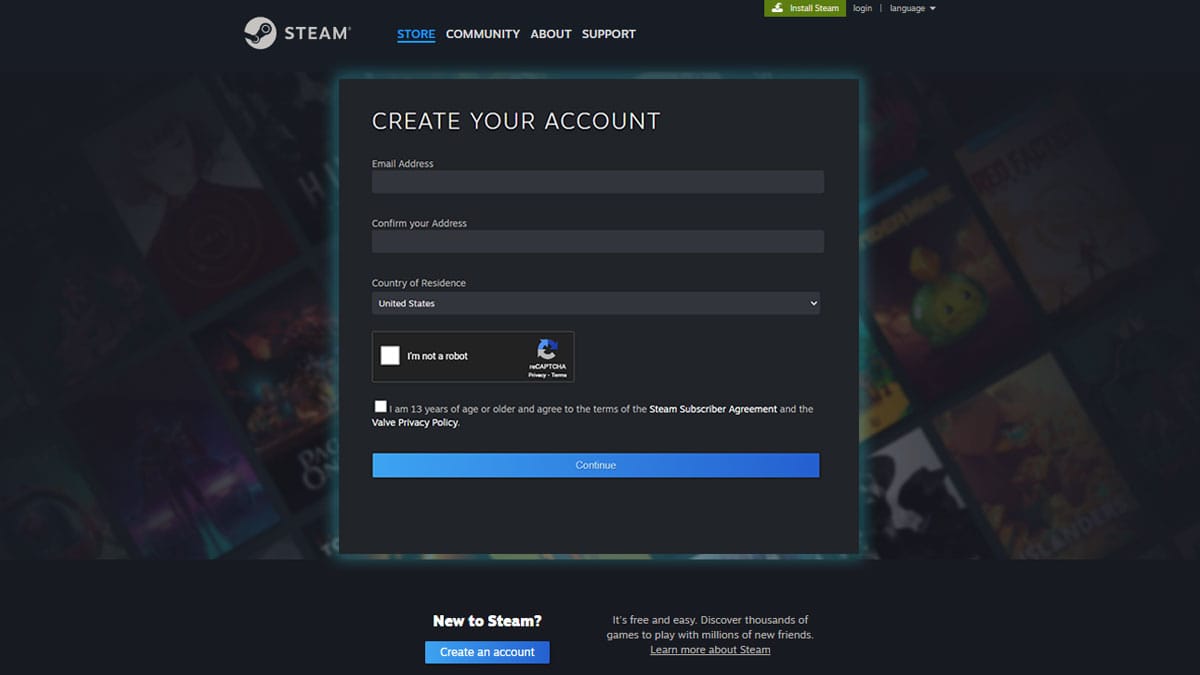
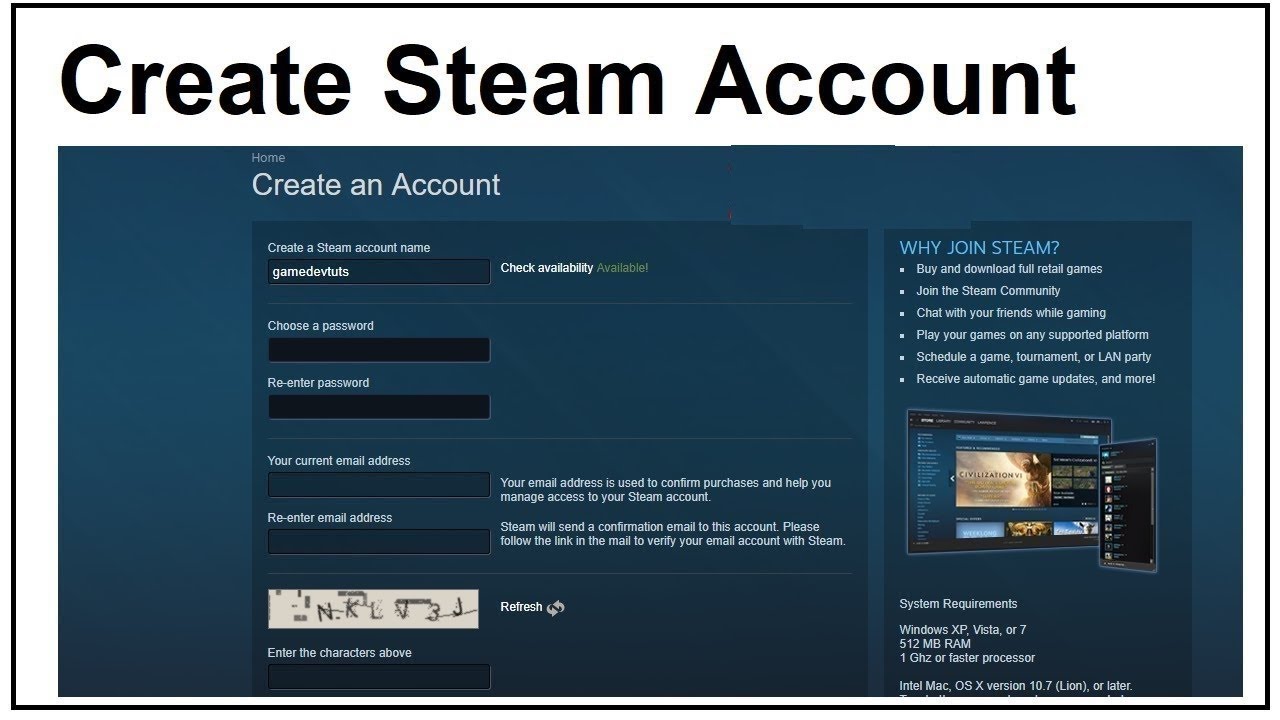
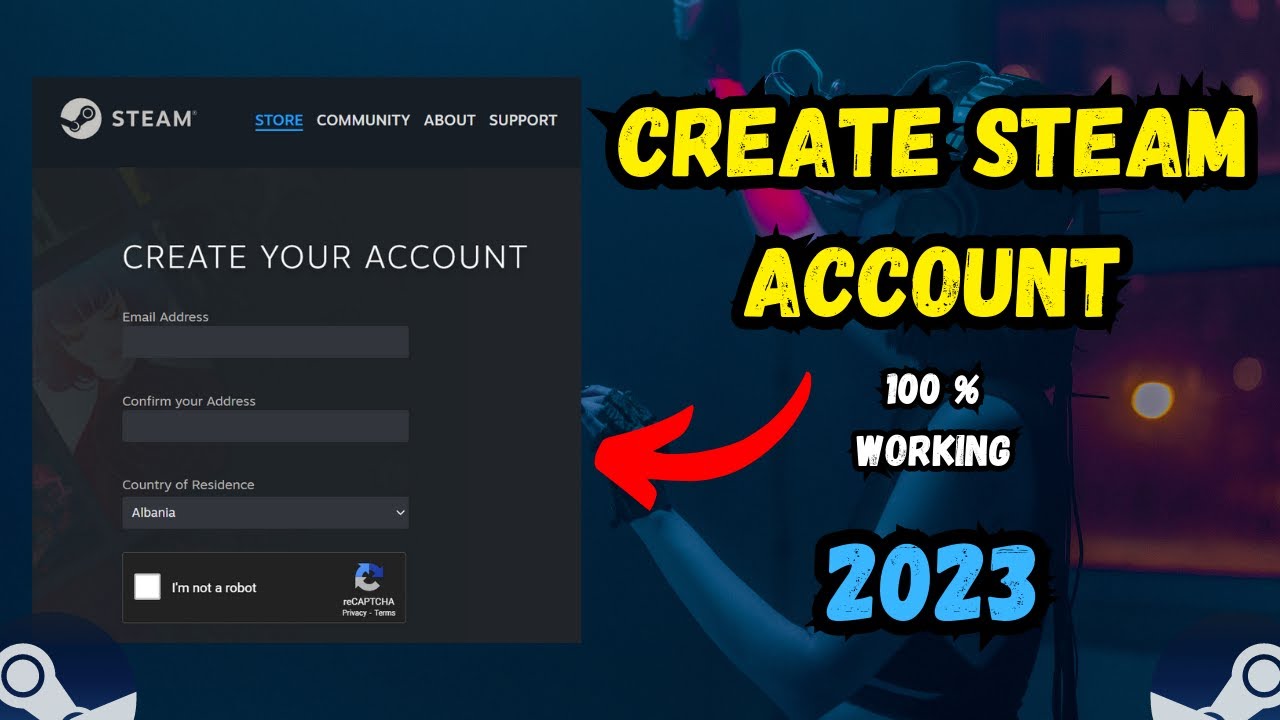
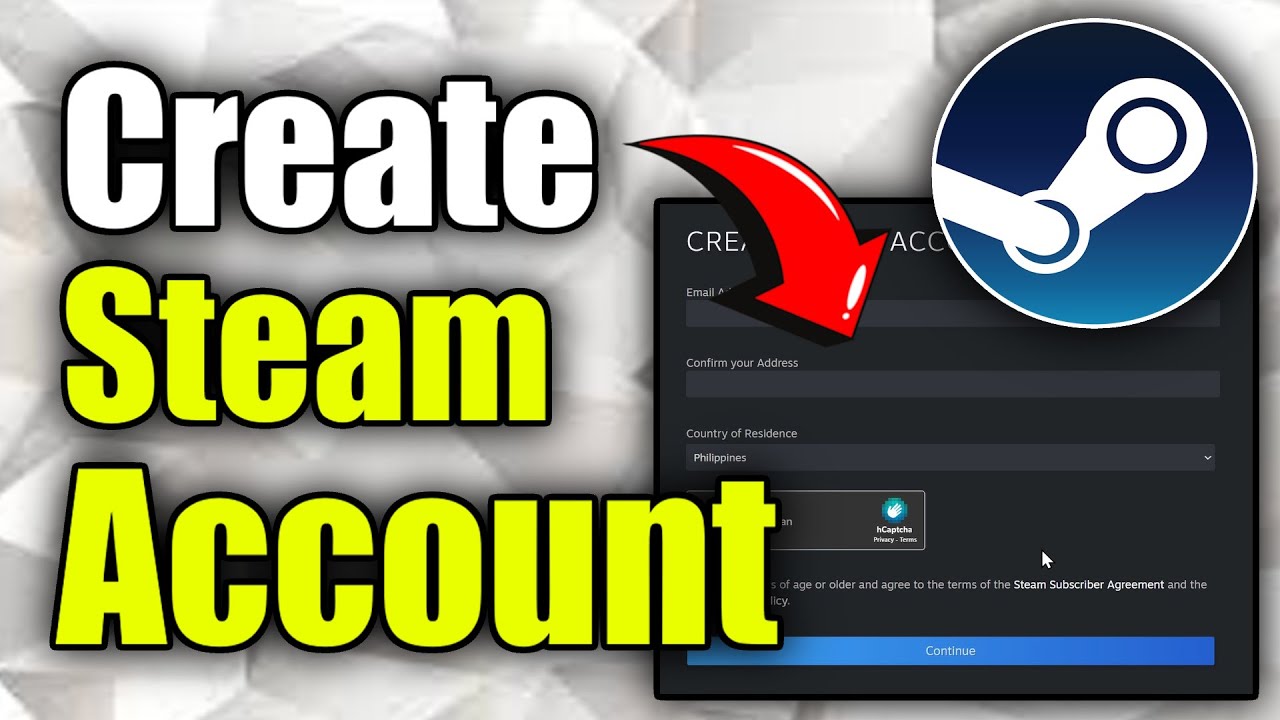
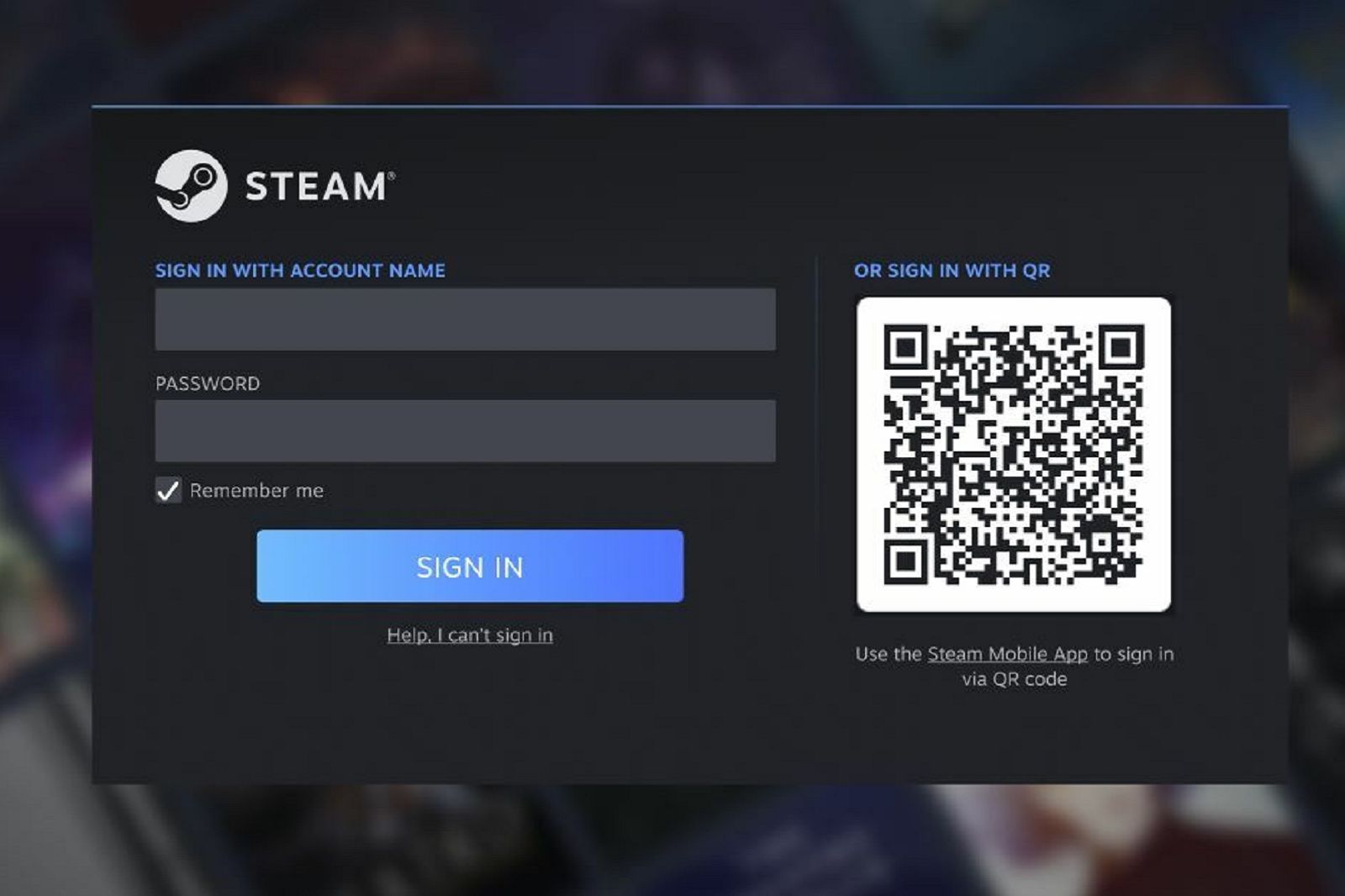
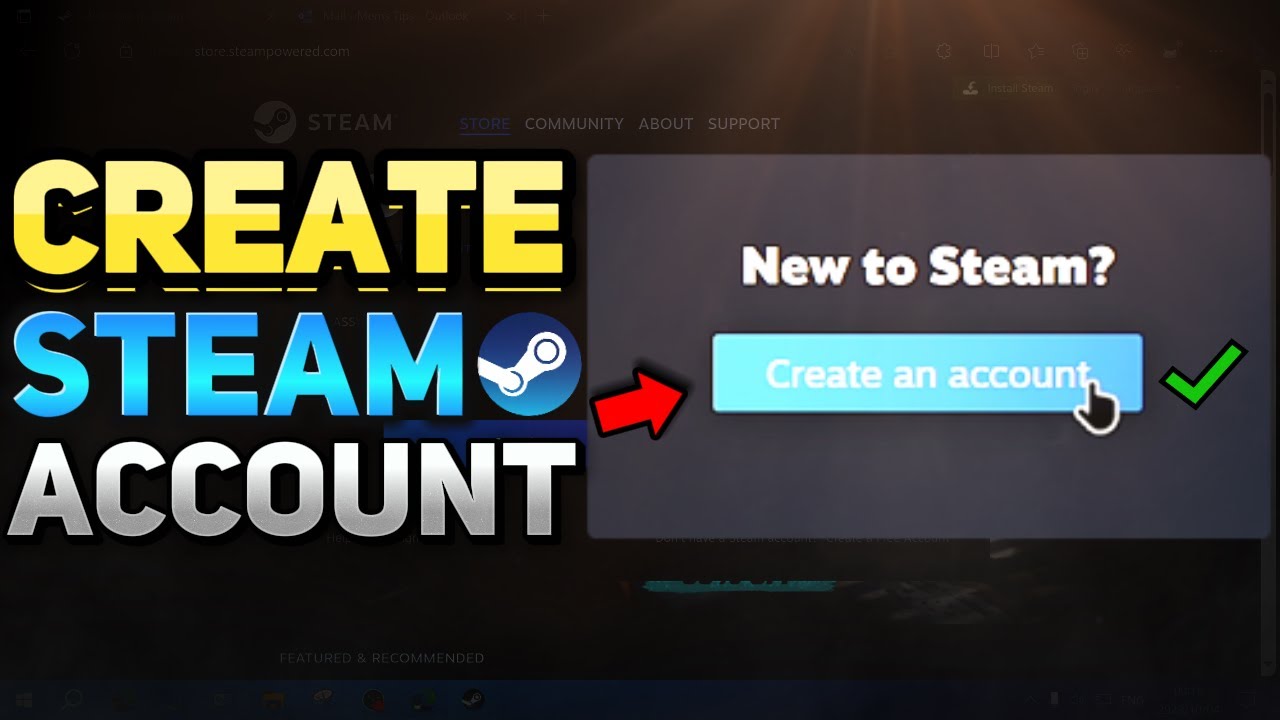
Creating a new Steam account is straightforward, but knowing the optimal steps ensures a smooth start, especially if you're managing multiple profiles. First, download and install the Steam client from store.steampowered.com. Once installed, open it and select 'Create a New Account'. You'll need to agree to the Steam Subscriber Agreement and Privacy Policy, then enter a unique account name and a robust password. Remember, strong passwords are crucial in an era where digital security is paramount – think a mix of upper and lowercase letters, numbers, and symbols, at least 12 characters long. The system will prompt you for an email address; use a secure one you regularly access, as this is vital for account recovery and verification. Complete the reCAPTCHA to prove you're not a bot, and Steam will send a verification email. Click the link in that email, and your Steam account creator journey officially begins. This process typically takes less than five minutes, getting you into the action quickly.
Why Would I Need Multiple Steam Accounts?
Many busy gamers find value in managing multiple Steam accounts, a trend that's grown significantly with the rise of family gaming and content creation. One primary reason is managing a dedicated family library. With a separate account, you can use Steam's Family Sharing feature more effectively, allowing family members to play games from your main library without interfering with your save files or achievements. This is particularly useful for parents looking to curate a specific game selection for their kids. Another common use case is privacy and security, especially for streamers or content creators who might want a 'clean' account for public visibility or testing new games without exposing their main library or personal information. Some gamers also create secondary accounts for specific genres, like a dedicated account for competitive esports titles or another for cozy, single-player experiences, helping to keep their game libraries organized and focused. For instance, a competitive player might keep their main account pristine for ranked play, while a secondary one is for experimenting with different regional servers or free-to-play titles. This approach helps balance intense gaming with casual relaxation.
What Are the Best Practices for Securing My Steam Account?
Securing your Steam account is non-negotiable in today's digital landscape, where cyber threats are constantly evolving. As a Steam account creator, implementing strong security measures protects your valuable game library and personal data. The absolute first step is enabling Steam Guard, Steam's two-factor authentication (2FA) system. Using the Steam Mobile Authenticator app on your smartphone provides the highest level of protection, requiring a unique code generated on your device every time you log in from a new location or device. Secondly, always use a unique, strong password for your Steam account that isn't reused on any other service. Password managers are excellent tools for generating and storing these complex passwords. Be wary of phishing attempts; Valve (Steam's developer) will never ask for your password via email or unofficial channels. Double-check URLs before clicking links related to Steam. Regularly review your account's login history, which you can find in your Steam client settings under 'Account Details' and 'Manage Steam Guard Security'. If you spot any unfamiliar activity, change your password immediately and revoke all authorizations. Finally, keep your operating system and antivirus software updated. These layers of protection ensure your gaming experience remains secure and uninterrupted.
How Can I Optimize Steam Client Performance on My Gaming PC?
For gamers balancing busy lives, every second of smooth performance counts. Optimizing your Steam client means more time gaming and less time troubleshooting. First, ensure your PC meets the recommended specifications for your games. Even with powerful hardware, Steam itself can be optimized. Navigate to Steam Settings > Library and check 'Low-Performance Mode' if your PC struggles, or adjust the 'Library Folders' to ensure your games are installed on your fastest drive, typically an SSD. Another tip is to disable unnecessary features like 'In-Game Overlay' (Steam Settings > In-Game) for games where you don't use it, as it consumes system resources. Clear your download cache periodically (Steam Settings > Downloads > Clear Download Cache) to resolve potential update issues. Furthermore, manage your startup programs; many apps launch with Windows and consume resources that could be dedicated to gaming. Use Task Manager to disable unnecessary startup items. Finally, keep your graphics drivers updated. Manufacturers like NVIDIA and AMD frequently release performance-enhancing updates, which are crucial for the latest titles. A streamlined Steam client and system mean more enjoyable gaming sessions for the busy gamer.
Can I Share My Steam Game Library with Family Members?
Absolutely, Steam's Family Sharing feature is a godsend for families who love gaming and a key tool for any savvy Steam account creator. This feature allows authorized family members to play games from your library without purchasing them separately, ideal for shared entertainment and budget-conscious households. To enable it, first ensure Steam Guard is enabled on your main account. Then, log into the Steam client on the family member's computer. Go to Steam Settings > Family, and check the box that says 'Authorize Library Sharing on this computer'. You'll then select which accounts on that computer are allowed to access your library. It's important to note some limitations: only one person can play from a shared library at a time, and not all games are eligible for sharing (e.g., those requiring a third-party key or subscription). DLC and in-game items typically cannot be shared. Despite these minor caveats, Family Sharing is a fantastic way to spread the joy of gaming without breaking the bank, perfectly aligning with the value-for-money mindset of many adult gamers in 2026.
What are the Best Free-to-Play Games on Steam for Busy Gamers?
For gamers with limited time and a keen eye for value, the free-to-play (F2P) ecosystem on Steam offers a wealth of high-quality experiences without the upfront cost. As an astute Steam account creator, exploring this category can significantly expand your gaming options. In 2026, popular choices often include social and competitive titles that provide quick engagement. Consider games like Dota 2 or League of Legends for strategic team-based action, or Apex Legends and Valorant for fast-paced battle royale or tactical shooter thrills. These games offer deep gameplay loops, regular content updates, and thriving communities. For a more relaxed experience, titles like Warframe combine action RPG elements with extensive customization, while Genshin Impact (available through Steam now, reflecting cross-platform trends) provides a vast open world for exploration. The beauty of F2P is the low barrier to entry, allowing you to sample many genres and find what truly fits your schedule and mood. Many F2P games also boast robust competitive scenes, like esports viewing, providing entertainment even when you're not actively playing. This month's data shows F2P engagement continuing to surge, especially among US gamers balancing life and play.
How Do I Connect with the Steam Community and Social Features?
Gaming is often more enjoyable with friends, and Steam offers robust social features that any effective Steam account creator should leverage. Beyond simply adding friends, Steam allows you to join communities, participate in discussions, and even live-stream your gameplay. To start, navigate to the 'Friends & Chat' section in your Steam client. From there, you can invite friends using their friend code or by searching for their profile. Once connected, you can text chat, voice chat, and even join games together. Explore the 'Community' tab on Steam to find groups related to your favorite games, genres, or interests. These groups are excellent places to find teammates, get tips, and stay updated on game news. Many US gamers, especially Gen Z and Millennials, integrate gaming with social platforms like Discord; Steam's integration allows for easy communication across these channels. You can also view friend activity, see what games they are playing, and join them directly. Leveraging these social features enriches your gaming experience, turning solitary sessions into shared adventures and helping you build connections in the vast digital world, a key aspect of modern gaming in 2026.
What are Common Steam Account Creator Issues and Their Solutions?
Even the most experienced Steam account creator can encounter occasional hiccups. Knowing common issues and their solutions can save you valuable gaming time. If you forget your password, the 'Forgot your password?' link on the login screen is your first stop. Steam's recovery process, typically involving email or phone verification, is usually quick. For login issues, especially after a new device or IP address, Steam Guard will prompt for a code; ensure your mobile authenticator is active and accessible. Performance problems like lag or crashes often stem from outdated graphics drivers, conflicting background applications, or insufficient system resources. Regularly update drivers, close unnecessary programs, and verify game files through Steam (right-click game > Properties > Installed Files > Verify integrity of game files). If a game won't launch, check its system requirements against your PC, and consider running the Steam client as an administrator. For download issues, try changing your download region in Steam Settings > Downloads. Persistent problems might require contacting Steam Support directly, who are generally responsive. A proactive approach to these common issues ensures your gaming sessions remain focused on fun, not frustration.
Conclusion: Your Enhanced Steam Gaming Journey Awaits
Congratulations, you're now equipped with the knowledge to be a truly savvy Steam account creator. From the initial setup to securing your digital assets, optimizing performance, and intelligently managing multiple accounts or sharing your library, you've learned to navigate Steam like a pro. This isn't just about creating an account; it's about mastering your gaming environment to fit seamlessly into your busy 2026 lifestyle. Remember, gaming should be a source of relaxation, connection, and skill-building, not stress. By applying these practical tips, you ensure your Steam experience is as smooth and enjoyable as possible, letting you focus on the fun. What's your biggest Steam account management challenge or best tip? Comment below and share your insights with the community!
FAQ Section
How do I enable Steam Guard Mobile Authenticator?
Install the Steam Mobile app, log in, tap the menu icon, select 'Steam Guard', then 'Add Authenticator'. Follow the prompts to link it to your account via phone number verification.
Can I change my Steam account name after creation?
No, your Steam account name (login name) cannot be changed. However, you can change your display name (profile name) as often as you like via your profile settings.
Is it safe to buy games from third-party sites for Steam?
Exercise caution. While some authorized resellers exist, buying from unofficial sites risks invalid keys or fraudulent transactions. Always prioritize buying directly from Steam or official partners.
What is Steam Family View and how does it work?
Steam Family View allows parents or guardians to restrict access to certain games and community features on a shared computer, protecting younger players. You set a PIN to unlock restricted content.
How do I add non-Steam games to my Steam library?
In the Steam client, go to 'Games' in the top menu, then 'Add a Non-Steam Game to My Library'. Browse for the game's executable file and add it. This allows for Steam Overlay features.
What's the difference between my Steam Account Name and Profile Name?
Your Steam Account Name is your unique login ID, which cannot be changed. Your Profile Name is what other users see, and you can change it freely to customize your identity within the Steam community.
Efficient Steam account setup and management strategies for busy gamers. Enhanced security and privacy tips for your digital game library. Balancing multiple accounts for family, friends, or specific game types. Optimizing Steam client performance for a smooth gaming experience. Navigating free-to-play options and smart spending on the platform. Staying connected with the Steam community and social features. Practical solutions for common gamer pain points.
35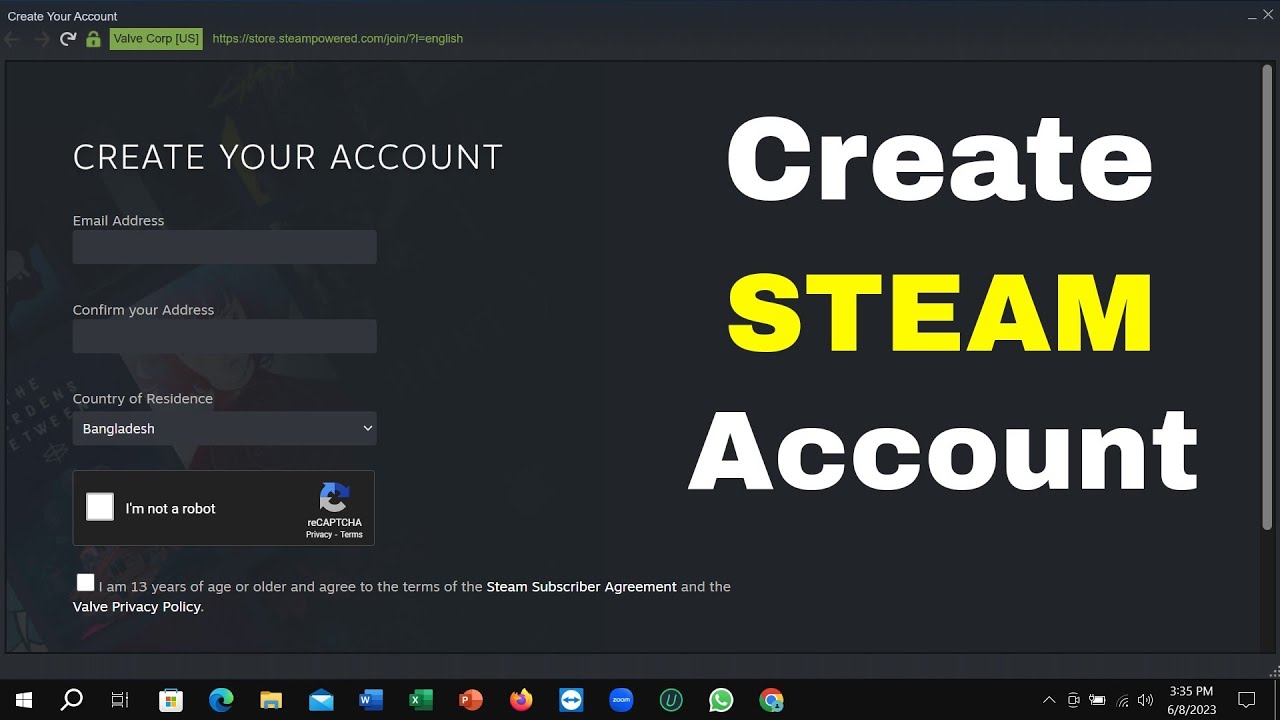



How To Create A STEAM Account 2026 YouTube . How To Create A Steam Account 2026 PC Laptop YouTube . How To Create A STEAM Account 2026 Step By Step YouTube . How To Create Steam Account YouTube . How To Create Steam Account On PC Quick Easy YouTube


How To Create Steam Account YouTube . How To Create A Steam Account Create Steam Account Ss5 . How To Make A Steam Account On Mobile 2026 YouTube . How To Make A Steam Account Create Your Account Page 1024x576 . Steam Sign Up How It Works 50 OFF Pinnaxis Com How To Make A Steam Account


How To Create Steam Account On Mobile 2026 Make Steam Account In . How To Create A Steam Account Working YouTube . How To Create Steam Account YouTube . How To Create A Steam Account 2024 YouTube . How To Create Steam Account Easily Step By Step Guide For Beginners



How To Create Steam Account 2026 PC LAPTOP YouTube . How To Create New Network Connection In Windows 10 Dibujos Cute Para . How To Create Steam Account On Mobile 2026 YouTube Hqdefault . How To Create A STEAM Account Best Method YouTube . How To Create A Steam Account On PC Or Laptop YouTube

How To Create Steam Account On Android 2026 Full Guide YouTube . How Do I Create A Steam Account Fanatical Com Customer Services. How To CREATE Steam Account In 2026 YouTube . Agnes Bernauer Rs Augsburg MDFCVK . How To Make A Steam Account In 2023 The Droid Guy EU Vietnam Create New Accouint


How To Create Steam Account 2024 Create Steam Account On PC YouTube . How To Change Steam Region And Get Cheaper Games In 2026 NordVPN Create New Account Steam 1280x708 . How To Create A Steam Account 2026 Full Guide YouTube . Steam March 2026 Client Update Adds Hardware Specs To User Reviews Steam Client Mar 2026 . Cool Steam Name Steam Account Name


Comment Cr Er Un Compte Steam Service Client Le Fanatical Com. EZAltz Vs Other Steam Account Real Comparison 2026 Og Image . How To Create New Steam Account On PC In 2023 Windows 10 11 Tutorial . How To Create Steam Account On PC YouTube . If You Can T Create A Steam Account Try This YouTube Hqdefault